Session Workflow
FLITS is centered on the current session state. Most analysis products depend on the same crop window, event window, off-pulse definition, spectral window, and mask selection.
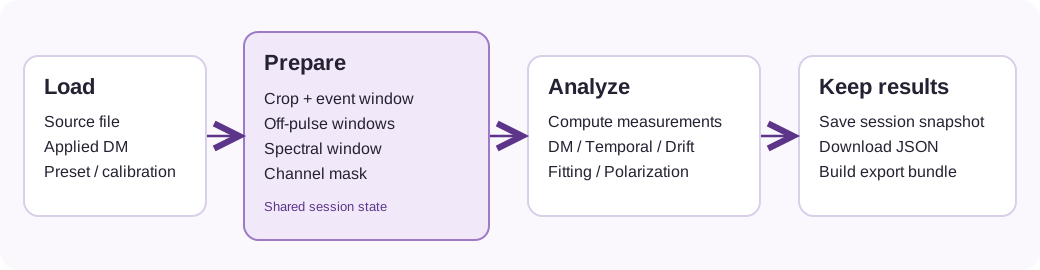
The preparation state is shared by the measurement and analysis tabs. Save a snapshot when you want to preserve the selections as well as the results.
Typical order of operations
- Load a filterbank and DM.
- Define the crop window you want to work on.
- Mark the event window.
- Set or refine the off-pulse window if needed.
- Choose the spectral window used for measurements.
- Mask problematic channels or ranges.
- Compute measurements.
- Run DM optimization, temporal analysis, or fitting on the current state.
- Export results or save a session snapshot.
Prepare tab
Use the Prepare workflow to set the core analysis state:
- crop window
- event window
- off-pulse region
- component regions
- peak markers
- spectral extent
- channel masks
This state feeds the later analysis tabs.
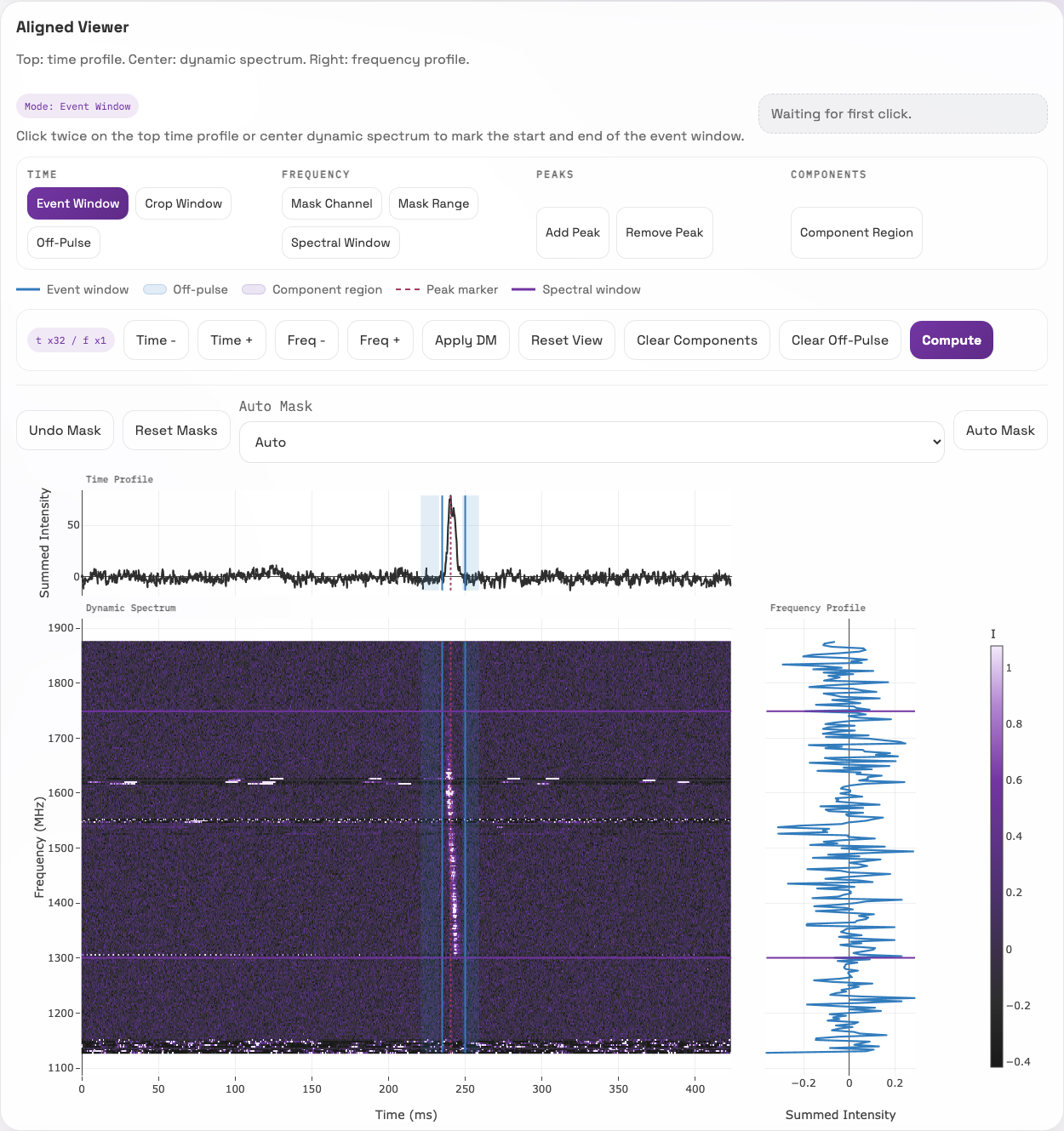
The top plot is the time profile, the middle plot is the dynamic spectrum, and the plot at right is the frequency profile. Select an interaction mode above the plots, then click the plot to set its bounds. Exact Selection below the toolbar accepts coordinates directly when you need reproducible boundaries.
Measurement mindset
A good workflow is to make the preparation state explicit before interpreting any numbers. In practice that means:
- crop narrowly enough to exclude unrelated structure
- define off-pulse bins that represent the local baseline and noise
- set the spectral window to the part of the band you actually want to analyze
- mask channels with obvious corruption before computing measurements
DM tab
The DM tab evaluates trial DMs around the currently applied DM using the current session state. Use it when you want to compare the current alignment with a locally optimized value or inspect residual arrival-time behavior.
Fitting tab
The fitting workflow is optional and model-based. It uses the currently selected band and event state. Treat the fitted widths and scattering times as secondary diagnostics rather than as replacements for the non-parametric measurement workflow.
Temporal tab
The temporal workflow uses the same current session state as the other analysis tabs. Segment length matters: longer segments improve frequency resolution in the averaged PSD but reduce the number of independent averages.
Drift tab
The drift workflow measures the sub-burst drift rate from the two-dimensional autocorrelation of the selected event window, and cross-checks it against the component centroids when two or more component regions are marked. Read the equivalent DM error before the drift rate: a dedispersion error tilts a burst the same way intrinsic drift does, and the drift rate is only marked publishable once a DM uncertainty has been folded in. See Sub-Burst Drift.
Export tab
Build exports only after the session state is where you want it. The export planner and snapshot features are most useful when the selections and masks are already finalized.